
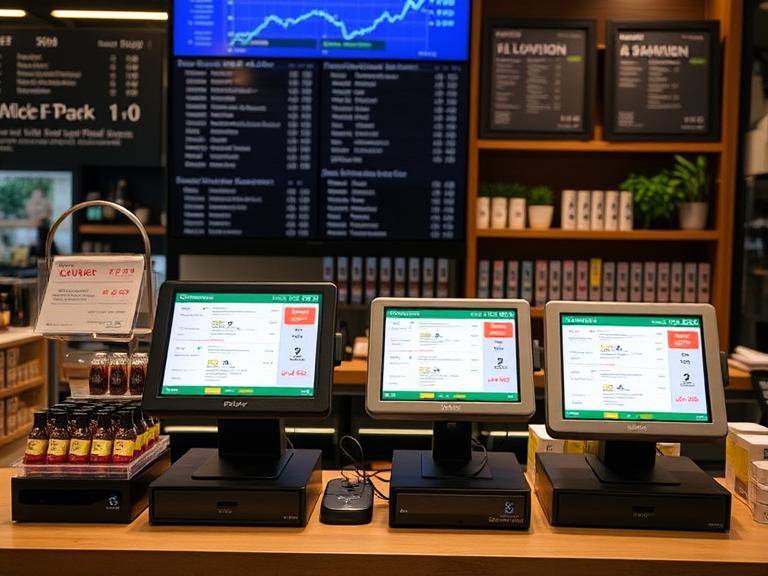
If you run a store, you already know that not every sale goes as planned. Sometimes customers change their minds. Other times, the product might be damaged or just not right. That’s where returns and refunds come in. If you’re using a point-of-sale (POS) system, handling these situations can be simple—as long as you know how to use it the right way.
This guide breaks it all down. It’s written for real store owners, not tech experts. You’ll learn how a POS system can help you handle returns and refunds faster, more clearly, and with less stress.
Why Returns and Refunds Matter
Returns and refunds are a big part of running any shop. People expect to be able to return items. If they can’t, they might not come back. But if you make it easy, they remember the good service.
More than 1 out of every 10 sales ends up as a return. That means your system for dealing with it matters. If it’s slow or messy, customers get annoyed. But if you have a POS that helps you do it quickly and properly, you win their trust.
What Is a Return or Refund in a POS System?
Let’s keep this simple. A return means the customer gives the product back. A refund means you give their money back. Sometimes, you do both. Other times, they just want store credit or an exchange.
Your POS system should be able to track all this. It should also connect the return to the original purchase, so you know the item was really bought from your store.
Types of Returns You Might Deal With
Not all returns happen for the same reason. Here are some common ones:
- Wrong size or color
- Damaged item
- Changed their mind
- Got the wrong item
- Product didn’t match the description
Your POS should let you mark why the item came back. This helps you notice patterns and fix problems early.
How POS Makes Returns and Refunds Easier
A good POS saves time. When someone comes in with a return, you can:
- Look up the sale by receipt, customer name, or date
- Scan the item’s barcode
- Choose the reason for the return
- Process a refund or give store credit
- Restock the item or mark it as damaged
Instead of guessing or digging through paperwork, everything’s in the system. That makes your life easier.
Set Up a Clear Return Policy in Your POS
Customers need to know your rules. How many days do they have to bring something back? Do you offer cash refunds, or just store credit?
Once you know your rules, set them in your POS. That way, the system will follow your policy automatically.
Some POS systems also let you print return rules on receipts or show them in emails. That helps avoid arguments later.
Step-by-Step: How to Handle a Return with POS
Here’s how a basic return might look:
- Search for the sale using the receipt or customer name.
- Select the item the customer wants to return.
- Choose a reason from the list (like “wrong size”).
- Choose refund or store credit as the option.
- Restock or mark the item depending on its condition.
Some systems even let you scan a barcode, and it fills in the rest for you. That saves a lot of time.
Refund Options to Offer
People pay in different ways, so your POS should be able to refund in those same ways. That might include:
- Credit or debit card
- Cash
- Store credit or gift card
- Digital wallets (like Apple Pay or Google Pay)
You should also be able to offer:
- Partial refunds (if they only return one item)
- Refunds with discounts applied
- No-receipt refunds, based on their purchase history
How to Handle Exchanges in POS
Sometimes customers don’t want a refund—they just want a different item. In that case, a good POS will let you:
- Pull up the original sale
- Return the item
- Add the new item
- Calculate the price difference
- Print a new receipt
That way, both your inventory and your records stay correct.
What About Multi-Location Returns?
If you have more than one store, returns can get tricky. One store sells the item, another gets the return.
With the right POS, it doesn’t have to be a problem. You can:
- Share data across locations
- Track customer purchases no matter where they bought
- Accept returns in any store
- Keep inventory levels correct at each store
That helps keep things fair and avoids double-counting.
Track Return Reasons to Spot Trends
You can learn a lot from return reasons. If you keep seeing the same product come back, something might be wrong.
Good POS systems let you tag return reasons like:
- Damaged
- Didn’t fit
- Wrong item sent
- Changed mind
Later, you can pull reports to see which items or categories get the most returns. That helps you fix problems before they grow.
Stop Refund Fraud Before It Starts
Some people try to cheat the system. They might return stolen goods or fake a receipt.
Your POS can help prevent this if it has features like:
- Return limits (like 30 days only)
- Manager approval for high-value returns
- Linking returns to the original sale
- Tracking how often a customer returns items
These tools protect your business without punishing honest customers.
Train Staff to Use the POS for Returns
The best system won’t help if no one knows how to use it. Make sure your team understands:
- How to search for past sales
- How to handle common return reasons
- How to process refunds or store credit
- How to use notes or tags in the system
Training saves time, cuts down on mistakes, and helps customers leave happy.
Make Returns Easy for the Customer
People don’t like returns, but they love when it’s easy. You can improve the experience by:
- Printing return instructions on receipts
- Emailing digital receipts with return rules
- Processing refunds quickly
- Offering credit if they lost the receipt
All of these things build trust. And when customers trust you, they come back.
How POS Connects Returns with Inventory and Accounting
Every return changes your stock and your money records. A smart POS handles both.
- Restocks returned items (or flags them as damaged)
- Updates inventory counts
- Adjusts sales and refund totals
- Syncs with accounting tools like QuickBooks
That means you don’t have to fix things later. The system keeps everything in line.
POS Systems That Handle Returns Well
If you’re still shopping for a POS, look for one that handles returns without hassle. Some top options include:
- Square POS – Easy for small shops, handles refunds fast.
- Shopify POS – Great for online and in-store sales together.
- Lightspeed Retail – Powerful for multi-location stores.
Pick one that fits your store size and return needs.
Mistakes to Avoid
Even with a good system, things can go wrong. Avoid these common problems:
- Forgetting to train new staff
- Not setting return rules in your POS
- Letting anyone process refunds without control
- Not checking return data to find problems
Fix these, and you’ll cut down on refund issues.
Final Thoughts: Keep It Simple and Honest
Returns and refunds don’t have to be hard. With the right POS, they can be quick and fair for everyone. Make sure your team knows the system, and keep your return policy clear. That way, you won’t have to guess or argue.
Your customers will notice the difference. And when they know you treat them fairly, they’ll keep coming back.
If your current POS gives you headaches, it might be time for a better one. Look for a system that keeps things fast and fair, handles refunds smoothly, and keeps your records straight.
Want help picking the right one? Check out our full guide: [Best POS Systems for Small Businesses in 2025]. Or talk to a real expert today.
Stop wasting time on returns. Let your POS do the work for you.
FAQs
- What is a return in a POS system?
A return in a POS system means the customer gives back an item they bought, and it’s recorded in the system. - Can I issue refunds without a receipt using a POS?
Yes, many POS systems let you find past purchases by customer name or date, even without a receipt. - How does a POS system help reduce return fraud?
It tracks return history, requires proof of purchase, and can set rules like return limits or manager approval. - Can I offer store credit through my POS?
Yes, most modern POS systems let you give store credit instead of cash refunds. - Is it possible to handle returns across multiple locations?
Yes, with the right POS, you can process returns at any store and keep your inventory updated everywhere.