
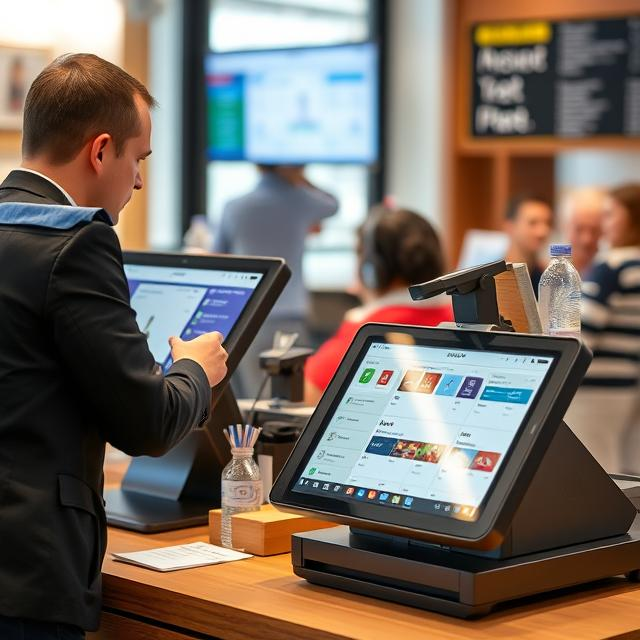
Point-of-sale (POS) systems are the heart of many businesses, processing transactions and managing customer data. But with more and more businesses using these systems, hackers are becoming more interested in stealing that data. The good news is that you don’t need to be a tech expert to protect your POS system. In this guide, we’ll show you simple steps that will help keep your system safe and your customers’ data secure.
Understanding the Risks: Why Your POS System Needs Protection
POS systems help businesses process payments, track sales, and manage inventory. However, these systems can also be vulnerable to attacks. Cybercriminals can target your system to steal sensitive information, like credit card details or personal data. This could lead to financial losses, legal problems, or a damaged reputation.
Common threats include:
- Malware: Harmful software that steals information or damages your system.
- Card Skimming: Hackers use devices to capture credit card details when swiped.
- Hacking: Cybercriminals can exploit weaknesses in your software to get unauthorized access.
- Phishing: Fake emails or websites trick employees into revealing login information.
If your system is hacked, the consequences can be serious. That’s why protecting your POS system is so important. Let’s look at what you can do to avoid these risks.
Simple Steps to Secure Your POS System
Protecting your POS system doesn’t require a lot of fancy technology or complicated processes. Just follow these basic steps to get started.
A. Create Strong Passwords and Change Them Regularly
Your first line of defense is a strong password. Make sure it’s hard to guess and contains a mix of letters, numbers, and symbols. Don’t use simple combinations like “1234” or your business name.
Password tips:
- Use at least 12 characters.
- Avoid personal information.
- Change passwords every 60-90 days.
B. Keep Your Software and Hardware Updated
Software updates fix security holes that hackers may try to exploit. Regularly update your POS software, operating system, and security tools. Many POS providers release updates to improve security, so it’s important to install them right away.
Don’t forget your hardware! Some POS systems also offer hardware upgrades to help you stay protected.
C. Install Antivirus and Anti-malware Software
Antivirus software protects your system by identifying and removing harmful programs. Anti-malware tools help find and eliminate threats like viruses, ransomware, and spyware. Make sure you have up-to-date antivirus software installed on your POS system.
Steps to follow:
- Choose trusted antivirus software.
- Set it to run automatic scans.
- Respond quickly to any security alerts.
Best Practices for Securing Your POS System
Now that you’ve taken care of the basics, let’s look at more advanced steps to boost your POS system’s security.
A. Use Encryption to Protect Customer Data
Encryption changes sensitive data into unreadable text. Only authorized users can decrypt and read it. By encrypting your customers’ payment details, you prevent hackers from stealing valuable information. Many modern POS systems come with built-in encryption, but make sure it’s enabled and up-to-date.
B. Set Up Firewalls for Extra Protection
A firewall blocks unauthorized access to your system from the internet. It helps monitor and filter traffic, so hackers can’t get through. Set up a firewall for your POS system to add another layer of protection.
If you’re using Wi-Fi for POS transactions, make sure your connection is encrypted and secured with a strong password.
C. Limit Who Has Access to Your POS System
Only give access to people who need it. For example, cashiers might only need access to basic transaction functions, while managers may need access to sales reports and sensitive data. By restricting access, you reduce the risk of someone making an accidental mistake or intentionally misusing the system.
Also, make sure all employees are trained on how to spot phishing attempts and other online threats.
D. Set Up Multi-Factor Authentication (MFA)
MFA adds an extra layer of protection. Besides entering a password, users must also verify their identity in a second way, like a text message or fingerprint scan. Even if a hacker gets hold of a password, they won’t be able to access the system without the second form of authentication.
Additional Security Features for Your POS System
Let’s look at some extra measures you can take to further protect your POS system.
A. Monitor Transactions for Unusual Activity
Keep an eye on your transactions in real-time. Many POS systems have built-in tools that can alert you to suspicious activity. For example, if a customer uses a credit card too many times in a short period, this might signal fraud.
You can also check access logs to see if anyone is trying to log in without permission.
B. Use Tokenization to Replace Sensitive Data
Tokenization is a method of replacing sensitive information like credit card numbers with unique identifiers, or “tokens.” If hackers intercept this data, they won’t be able to use it, as the tokens are useless outside of your system.
Check to see if your POS system offers tokenization as part of its security package.
C. Regularly Test Your System’s Security
It’s important to test your POS system regularly to check for any weaknesses. You can run security audits to find potential vulnerabilities. You can do this yourself or hire a professional to perform the audit for you.
If a weakness is found, fix it immediately to keep your system safe.
What to Do If Your POS System Is Hacked
If your POS system is compromised, it’s important to act quickly to limit the damage.
A. Stop the Attack Immediately
Disconnect the infected system from the internet and your network. This will prevent the hacker from causing more damage.
B. Notify the Authorities and Affected Customers
If customer data was compromised, you may need to report the breach to the relevant authorities. Make sure to let your customers know what happened so they can monitor their accounts for any suspicious activity.
C. Fix the Problem and Improve Security
Work with cybersecurity experts to figure out how the breach happened. Once you understand what went wrong, patch the security flaw and update your system to prevent future attacks.
Choosing the Right POS System for Your Business
When selecting a new POS system, security should be your top priority. Look for systems that offer strong protection features, such as encryption and tokenization.
What to look for:
- Encryption and Tokenization: Protect your customers’ sensitive information.
- Secure Payment Processing: Ensure that all transactions are secure.
- Compliance with Industry Standards: Make sure the system follows guidelines like PCI DSS.
Conclusion
Keeping your POS system secure is vital to protect your business and your customers. By following these simple steps—from using strong passwords to setting up firewalls—you can significantly reduce the risk of a cyberattack. Don’t wait until it’s too late. Act now to protect your business.
If you’re unsure where to start or need help strengthening your system, reach out to a professional. They can help identify any weaknesses and give you a clear plan for improving security. Protect your business today and make sure your POS system is safe from cyber threats!
FAQs:
- What is a POS system? A POS (Point-of-Sale) system is used by businesses to process customer payments, track sales, and manage inventory.
- Why do I need to secure my POS system? Securing your POS system helps protect customer data, prevent data breaches, and avoid financial losses caused by cyberattacks.
- How can I protect my POS system from malware? Install antivirus software, keep your software updated, and use encryption to safeguard sensitive information.
- What is multi-factor authentication (MFA) for POS systems? MFA requires a second form of verification (like a code sent to your phone) in addition to a password, making your system harder to breach.
- What should I do if my POS system is hacked? Immediately disconnect the system from the network, inform authorities, notify affected customers, and fix the security issues.