
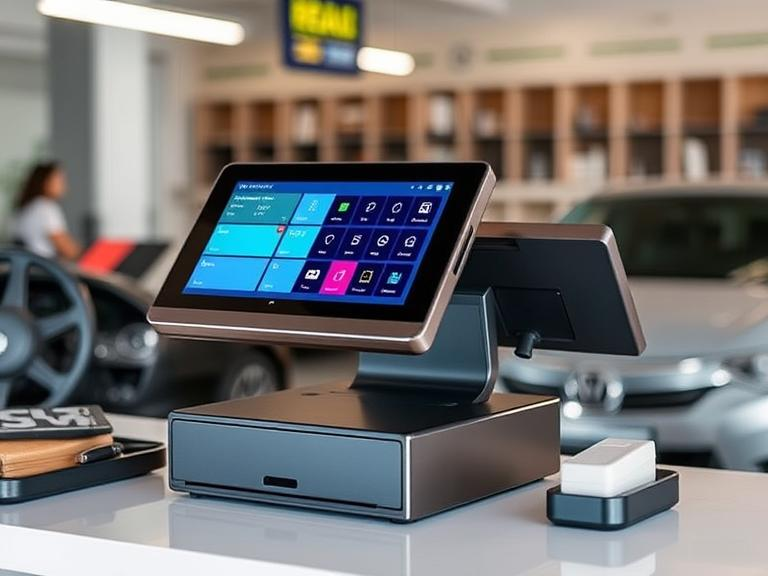
What is a POS System?
A Point of Sale (POS) system is the place where a customer makes a payment for goods or services. It’s the system that tracks sales, processes payments, and sometimes manages inventory. It usually includes hardware like a cash register, a card reader, and a software component that helps you manage transactions.
As technology advances, older POS systems might not keep up with the needs of modern businesses. If you’re running a business, you might be asking yourself: Is it worth upgrading your POS system? The answer depends on your current setup and business needs. Let’s explore the reasons to consider an upgrade.
Signs Your Current POS System Might Need an Upgrade
1. Outdated Technology and Features
If your POS system is slow, clunky, or doesn’t offer modern features, it’s time to think about an upgrade. Older systems might lack mobile payment options or compatibility with newer technology, which can lead to poor customer experiences. For example, if your POS system can’t process digital wallets or mobile payments like Apple Pay or Google Pay, you’re losing out on potential customers.
2. Limited Reporting and Analytics
A great POS system doesn’t just handle transactions; it also helps you analyze your business. If your current system only tracks basic sales data and doesn’t offer in-depth reports, you’re missing out on useful insights. Updated POS systems come with powerful reporting features that let you monitor inventory, track employee performance, and gather data on customer preferences. This can make decision-making much easier.
3. Security Concerns
Older POS systems may lack modern security features, such as encryption and EMV compliance, which can put your business and your customers at risk. Newer systems have stronger protection against fraud, helping to keep sensitive information like credit card details safe. If your system isn’t up-to-date with industry standards, you might be exposing your business to unnecessary risks.
4. Poor Integration with Other Tools
If your POS system doesn’t play well with your accounting software, inventory management tools, or customer relationship management (CRM) software, you’re probably wasting time on manual tasks. Upgrading your POS system can help you integrate all these tools into one system, saving you time and effort and ensuring that all your business processes run smoothly.
Benefits of Upgrading Your POS System
1. Improved Efficiency and Speed
Newer POS systems are faster and more efficient. This helps improve the overall experience for both customers and employees. Transactions are processed more quickly, reducing wait times and helping staff focus on serving more customers. In the long run, this boost in speed can improve customer satisfaction and increase your sales volume.
2. Better Customer Experience
A modern POS system supports features like mobile payment options, loyalty programs, and digital receipts, which can significantly improve the customer experience. For instance, customers appreciate the convenience of being able to pay using their smartphones or earn points toward future purchases with loyalty programs.
3. Enhanced Security Features
As mentioned earlier, newer POS systems come with advanced security measures to protect both your business and your customers. This includes features like end-to-end encryption, fraud protection, and regular updates to stay ahead of potential security threats. With growing concerns about data breaches, upgrading your POS system is an important step in securing sensitive information.
4. Real-Time Data and Analytics
Updated POS systems offer real-time data, which allows business owners to monitor sales, track inventory, and gather insights on customer behaviors instantly. This information can help you make smarter business decisions and act quickly when you need to make changes, like restocking popular items or adjusting pricing.
5. Scalability and Growth Potential
If your business is growing, your POS system needs to grow with it. Modern POS systems are designed to scale with your business. Whether you’re adding new products, opening additional locations, or expanding to online sales, the right POS system can support your business growth without additional complexity.
Costs of Upgrading Your POS System
1. Initial Setup Costs
When upgrading your POS system, there will be some initial setup costs. This includes purchasing new hardware, such as card readers, receipt printers, or cash drawers, as well as the software that runs the system. Depending on the system you choose, this cost can range from a few hundred to several thousand dollars. However, it’s important to consider the long-term benefits that come with this upfront investment.
2. Subscription and Maintenance Fees
Many modern POS systems come with monthly subscription fees. These fees often cover things like cloud storage, software updates, and customer support. The cost can vary depending on the features you need, but it’s typically a small price to pay for the additional capabilities a new system brings. Be sure to factor in these ongoing costs when budgeting for your POS system upgrade.
3. Training and Staff Adoption
Switching to a new POS system means your employees will need to learn how to use it. Depending on the system, this could require formal training, which can add extra costs. However, many modern POS systems are user-friendly, so the learning curve might be minimal, especially for employees who are already familiar with basic technology.
Factors to Consider Before Upgrading Your POS System
1. Your Business Needs
Before deciding to upgrade, take a step back and consider your business’s needs. Do you need advanced reporting features? Would it be helpful to add a mobile payment option? Understanding what your business truly needs will help you find the right POS system. For example, a small retail store might need a simple POS system, while a large restaurant might benefit from a more sophisticated solution with inventory tracking and table management.
2. Current System’s Limitations vs. New System Benefits
Take a close look at your current system. Is it limiting your business in any way? Are you missing out on important features that could save you time or increase sales? Compare your current POS system with what’s available on the market to see if upgrading is truly necessary.
3. Cost of the Upgrade vs. Potential ROI
The cost of upgrading your POS system can be significant, but it can also pay off in the long run. Newer systems help improve efficiency, reduce mistakes, and provide valuable data, all of which can contribute to higher sales and profits. Calculate the potential return on investment (ROI) by weighing the costs of the upgrade against the expected benefits.
4. Customer Feedback and Business Goals
What do your customers think about your current POS system? If they are constantly complaining about long wait times or difficulty with payments, it might be time to consider an upgrade. Additionally, your POS system should align with your long-term business goals. If you plan to expand, invest in e-commerce, or add new products, a more advanced POS system could help support these efforts.
How to Choose the Right POS System for Your Business
1. Consider Your Industry-Specific Needs
Different types of businesses have different needs when it comes to POS systems. Retail businesses, for instance, need systems that track inventory and provide fast checkout times, while restaurants might require features like table management and order tracking. Choose a POS system that caters to your specific industry needs.
2. Cloud-Based vs. On-Premise Systems
Cloud-based POS systems are becoming increasingly popular because they allow you to access your system from anywhere and keep your data backed up automatically. On-premise systems, however, store data locally, which can give you more control but requires more maintenance. Consider which type of system will work best for your business.
3. Customization and Integration
Look for a POS system that integrates with your existing business tools, such as accounting software, inventory management, and CRM systems. This can save you time and help you run your business more smoothly. Additionally, a customizable POS system can grow with your business as your needs evolve.
4. User-Friendliness
No matter how powerful a POS system is, it’s only effective if your staff can use it. Look for a system that is intuitive and easy to navigate, so employees can quickly learn how to use it without wasting time on complicated setups.
Conclusion
Upgrading your POS system can bring numerous benefits, from improved efficiency and better customer service to stronger security features and more powerful data analytics. While there are costs associated with the upgrade, the long-term benefits often outweigh these costs. Ultimately, whether it’s worth upgrading depends on your current system’s limitations and your business’s growth goals.
Take the time to evaluate your needs, compare different POS systems, and weigh the costs against the potential ROI. If done correctly, upgrading your POS system can significantly improve your business operations and customer satisfaction.
FAQs:
1. What is a POS system? A POS (Point of Sale) system is where customers make payments for goods or services. It includes hardware and software to process payments, track sales, and manage inventory.
2. Why should I upgrade my POS system? Upgrading your POS system improves speed, security, and efficiency. It also provides better data and can offer features like mobile payment support, improving customer experience.
3. How much does it cost to upgrade a POS system? Costs vary depending on the system’s features and complexity. You may face setup fees, subscription charges, and training costs, but the benefits often outweigh the investment.
4. How can a new POS system improve my business? A new POS system can boost efficiency, offer real-time analytics, enhance security, and improve customer satisfaction by streamlining payment processes.
5. What should I consider before upgrading my POS? Before upgrading, assess your business needs, compare systems, and evaluate the long-term costs and benefits to find the best solution for your business.