
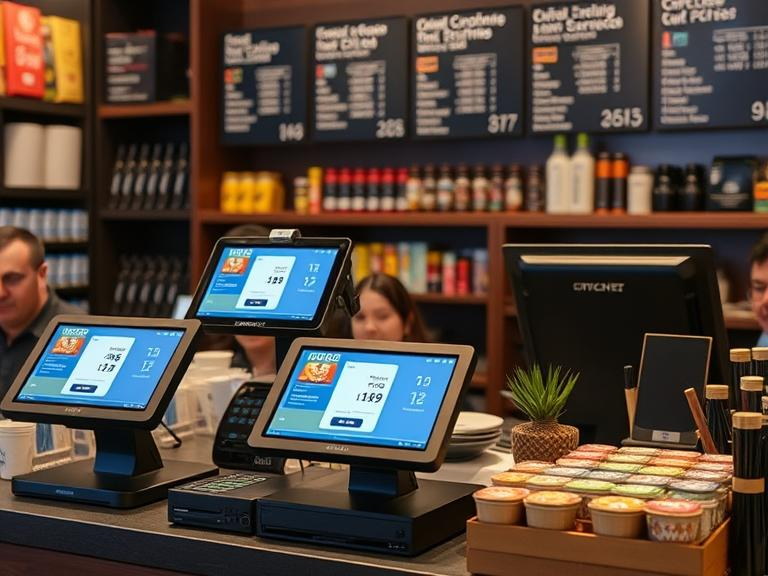
Managing both an online store and a physical shop comes with challenges, especially when tracking inventory, processing payments, and keeping customer data consistent. A disconnected system can lead to overselling, inaccurate stock levels, and missed sales opportunities.
Integrating your POS system with your eCommerce store ensures that all transactions, inventory, and sales data remain in sync. Whether you’re using Shopify, WooCommerce, or BigCommerce, the right eCommerce POS system can simplify your workflow.
This guide explains how to integrate a POS system with a website, why it’s essential, and the steps to get started. By the end, you’ll have a fully functional POS e-commerce transaction system that connects online and offline sales smoothly.
Why Integrating a POS System with Your Online Store is Essential
A POS eCommerce system creates a unified shopping experience, allowing businesses to manage sales across multiple platforms effortlessly. Here’s why you need one:
- Accurate Inventory Management: Real-time updates prevent overselling.
- Consistent Pricing Across Sales Channels: Price adjustments sync across platforms instantly.
- Easier Sales Tracking and Reporting: All transactions are stored in one place.
- Improved Customer Experience: Loyalty programs, order history, and promotions remain consistent.
- Automated Payment Processing: Transactions are processed without manual intervention.
If you’re asking, “What is the difference between POS and e-commerce?”, the answer is simple. A point of sale in e-commerce refers to the system handling online and offline sales, while an e-commerce store alone operates solely online.
Choosing the Right POS System for Your Business
Before setting up POS integration with eCommerce, selecting the right system is crucial. Consider the following:
Compatibility with Your E-commerce Platform
- Shopify users should consider Shopify POS.
- WooCommerce users can use WooCommerce POS plugins.
- BigCommerce supports multiple third-party POS solutions.
Cloud-Based vs. Offline POS
- An online or web-based POS allows access from any device.
- An offline POS operates without an internet connection but requires manual syncing.
Payment Processing Compatibility
If you’re wondering, “How to integrate payment processing with your POS system?”, ensure the POS supports your preferred payment gateway. Popular options include Square Payments, PayPal, and Stripe.
Step-by-Step Guide to Connecting Your POS System to Your E-commerce Store
Step 1: Confirm System Compatibility
Different platforms support various POS systems. For example:
- Shopify users can use Shopify POS.
- WooCommerce store owners may need a third-party plugin.
- Custom websites might require a POS API for integration.
Step 2: Enable POS Integration on Your Website
Check your eCommerce platform’s admin settings to find POS integration options. If you’re searching for “How to connect Square POS to a website?”, go to your Square dashboard and enable the connection.
Step 3: Sync Products and Inventory
- Ensure product names, descriptions, and SKUs match.
- Activate auto-sync to keep inventory updated.
- Test barcode scanning for in-store and online purchases.
Step 4: Set Up Payment Processing
Your POS system should support the same payment methods as your eCommerce store. Shopify POS, for example, works best with Shopify Payments, while Square POS supports Square Payments.
Step 5: Conduct Test Transactions
To verify that everything works correctly:
- Process a sale in-store and check if it reflects online.
- Confirm stock levels update instantly.
- Review order details to catch discrepancies.
Common Problems and How to Solve Them
Even with a proper setup, you might face these issues:
- Inventory Mismatches: If stock levels don’t sync, check if auto-sync is enabled.
- Order Syncing Delays: Ensure your POS is connected to the right sales channel.
- Payment Processing Errors: Verify that both systems use the same payment gateway.
- Slow System Updates: A cloud-based POS often updates faster than an offline one.
Best POS Systems for E-commerce Integration
If you’re unsure about which system to use, here are some options:
- Shopify POS – Best for Shopify stores.
- Square POS – Works well with multiple platforms.
- Lightspeed POS – Suitable for large businesses.
- WooCommerce POS – Integrates directly with WordPress.
- Clover POS – A solid option for retail and restaurant businesses.
For QuickBooks users wondering, “Does QuickBooks Online support POS?”, yes, QuickBooks POS integrates with online stores for accounting purposes.
Understanding POS and E-commerce Differences
- “What is POS e-commerce meaning?” It refers to a system that combines in-store and online sales management.
- “What is the difference between offline POS and online POS?” Online POS updates in real time, while offline POS works without the internet but requires syncing.
- “Does DoorDash have a POS system?” No, but it integrates with restaurant POS systems.
- “Does BigCommerce have a POS system?” BigCommerce supports multiple POS integrations.
Setting Up a POS in WordPress
For those asking, “How do I create a POS in WordPress?”, you’ll need a WooCommerce-compatible plugin. Options include:
- WooCommerce POS by Kilbot
- Point of Sale System for WooCommerce by Webkul
If you’re still wondering, “Is an online or web-based POS which can be easily used with your existing hardware such as a computer, tablet, and printer?”, the answer is yes. Most modern POS systems work across devices without additional hardware.
Final Thoughts
Connecting your POS system with your eCommerce store keeps your business organized, reduces errors, and improves customer satisfaction. The right eCommerce POS system ensures every sale—whether online or in-store—is accounted for in real time.
If you haven’t integrated your systems yet, now is the time to start. Choose a POS that fits your eCommerce platform, follow the steps outlined above, and enjoy a more efficient business. Need help? Drop your questions below!
FAQs
What is a POS system in eCommerce?
A POS system in eCommerce is a tool that syncs online and in-store sales, managing inventory and payments in one place.
How do I integrate my POS system with my website?
Choose a compatible POS, enable integration, sync products, set up payment processing, and test transactions.
Can WooCommerce be used as a POS?
Yes, WooCommerce supports POS plugins like WooCommerce POS and Webkul POS for in-store sales.
What is the best POS system for Shopify?
Shopify POS is the best option, offering seamless integration with Shopify stores.
How do I connect Square POS to my website?
Log in to Square, go to the integrations tab, and link it to your eCommerce platform.