
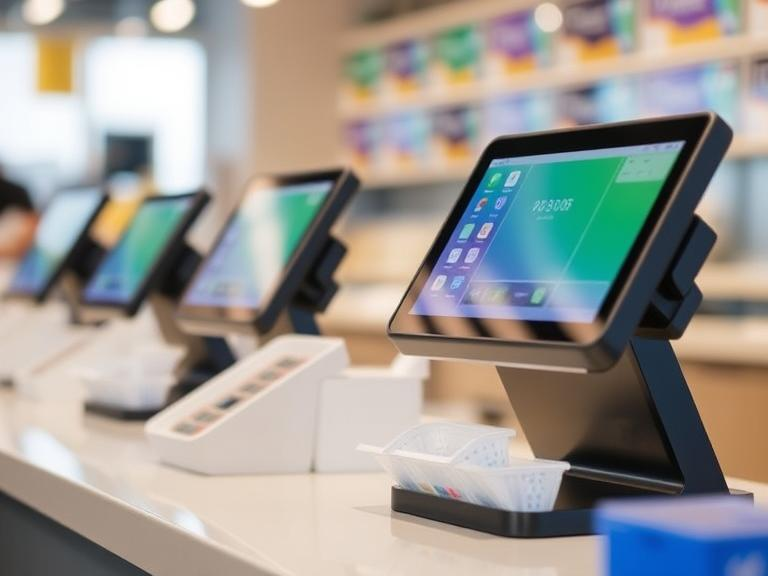
When a store sells goods in a shop and on the internet, it uses a method known as omnichannel retailing. This guide explains what omnichannel retailing means, how POS systems work, and how both help a business run smoother. The words in this guide are simple and clear, so even a sixth grader can follow along.
We will discuss what omnichannel retailing is, look at the role of POS systems, list the main features of these systems, and explain how they help shops work well. In addition, you will see a step-by-step guide for setting up a POS system and learn how to handle problems that may come up. Real-world examples will be shared to show how other businesses have done this. We will also look at future trends that might change the way shops sell products.
Our goal is to give you a full picture so you can make smart decisions for your own business. The ideas here are based on what works best today and what many businesses use successfully. Read on to learn more about a topic that is important for any shop that sells both in a physical location and online.
What Is Omnichannel Retailing?
Omnichannel retailing means selling goods through many channels. A shop might sell items in a physical store, on its website, and through mobile apps. This approach helps a shop reach many people. When a customer visits a store, orders online, or uses a mobile app, the shop keeps track of all these actions in one system.
Imagine a local toy store that also has an online shop. A customer may look at toys online and then visit the shop to see the items up close. Later, the customer might order a toy through the mobile app for home delivery. In every case, the shop uses a system that connects these different methods of selling. The aim is to give a clear and consistent experience no matter how the customer shops.
Shops that use omnichannel retailing work hard to keep a single record for each item and each customer. They need to have one view of the product list, the prices, and the stocks. This makes it easier to answer questions like “Is this toy in stock?” or “What are the prices in the store and online?” When a shop can answer these questions quickly, it makes the shopping process easier for the customer.
Some common benefits of this approach include:
- A clear view of stocks and sales
- A consistent experience for customers across different channels
- Faster service when customers ask for help or return items
When a shop uses these methods, it makes the buying process fair for everyone. People can shop at a place that suits them best, whether it is in a shop, on a website, or on an app. With the right tools, all these channels work as one.
The Role of POS in Omnichannel Retailing
A POS system stands for Point of Sale system. It is the computer and software that help a store manage sales and keep track of inventory. A good POS system works with all the channels used by the shop. This means it connects the sales made in a physical store with those made online or on a mobile app.
A POS system keeps a record of every sale. When a customer buys an item, the system saves the details. It records the item’s price, the time of the sale, and other key information. This record is important because it helps the shop see which items are popular and which ones are not. The system also keeps track of the number of items in the shop. When a sale is made, the system updates the stock count. This helps the shop avoid running out of popular items.
Another key role of a POS system is to help a shop offer a friendly service. The system can save a customer’s details and past purchases. When the customer returns, the shop can use this information to offer help or suggest items that might be of interest. This makes the shopping experience smoother for the customer.
The use of a POS system also makes it easier to handle returns and refunds. If a customer wants to send back an item, the system shows the details of the original sale. This speeds up the process and reduces the chance of mistakes.
Overall, a POS system acts like a helper that keeps everything in order. It brings together sales made in different ways and keeps the records safe. This clear record helps the shop serve its customers better and keep track of what is happening at all times.
Main Features of Modern POS Systems
Modern POS systems come with many useful features that help a shop run better. Let us look at some of the key features and what they do:
1. Cloud-Based Software
Many modern POS systems use cloud-based software. This means the data is stored on remote servers instead of just on a local computer. With cloud-based systems, a shop can check its records from any computer or mobile device. The system works well even when the store has many locations.
2. Mobile Support
Mobile support means that the POS system works on phones and tablets. A store worker can use a tablet on the floor to show a customer the price of an item or check its stock. Mobile support helps a shop serve customers quickly and efficiently.
3. Inventory Management
Keeping track of items is one of the most important tasks of a shop. Modern POS systems help manage stock levels and update the count when a sale happens. They also alert a shop when stock is low. This way, the shop can order more items before a popular product runs out.
4. Sales Reporting
A good POS system provides clear sales reports. These reports show which items sell the best, what time of day the shop is busiest, and many other details. This information helps shop owners plan their orders and decide on sales promotions.
5. Customer Data Records
Modern systems store details about customers. This includes what they have bought before, when they last visited, and even their contact details. A shop can use this data to offer help or make suggestions for other items that the customer might like.
6. Payment Options
Many POS systems accept a variety of payment methods. A shop may receive cash, credit cards, mobile payments, or other types of transactions. This flexibility makes it easier for customers to pay in the way they prefer.
7. Integration with Other Tools
Modern systems often work well with other software. For example, a POS system might work with accounting tools or email systems. This integration helps a shop keep all its work in one place. It saves time and makes the daily work more organized.
Each of these features adds a piece to the puzzle. Together, they help a shop manage its work in an easy and clear way. The goal is always to give the best service to customers and to keep the shop’s work running smoothly.
How an Integrated POS System Helps a Business
An integrated POS system brings all parts of a shop’s work together. When a shop uses one system for all its sales, records, and stock, it becomes easier to see the whole picture. Let us look at how an integrated system makes a difference.
1. A Single View for the Shop
When all sales go into one system, the shop can see all its data in one place. This clear view helps the shop answer questions about what is in stock, what has been sold, and what needs to be ordered. A clear record is very useful during busy days or when a shop faces a challenge.
2. Faster Service for Customers
With clear records, a shop worker can help a customer quickly. When a customer asks about a product, the worker can look it up on the system and give a quick answer. This quick service makes customers happy and helps the shop earn trust.
3. Easy Handling of Returns and Refunds
An integrated system saves details of each sale. When a customer wants to return an item, the shop can check the original record easily. This clear process makes returns and refunds simple and fast.
4. Better Planning and Decision Making
A complete view of sales and stock helps a shop plan for the future. The shop can see which products are selling well and plan orders accordingly. It also helps in setting up sales promotions when needed. The data stored in the system becomes a guide for the shop owner.
5. Keeping Data Safe
A modern system stores all records in a safe way. The use of cloud storage and regular backups makes it less likely that data will be lost. This safety gives peace of mind to those who run the shop.
The benefits of using an integrated system go far beyond a simple record. They help a shop run its work with clarity and care. Each task, from checking stock to handling customer service, becomes easier when all the parts work together.
Step-by-Step Guide to Setting Up an Omnichannel POS System
Setting up a POS system may seem hard at first. This guide shows clear steps that you can follow to set up your own system. Each step is explained in simple words.
Step 1: Assess Your Needs
Before you choose a system, think about what your shop needs. Ask yourself:
- How many channels do I use to sell goods?
- Do I have one shop or several locations?
- What kinds of payment methods do my customers prefer?
Answering these questions helps you choose the right system.
Step 2: Choose the Right POS System
Look for a system that fits your needs. Check the features listed in the earlier section. Does the system offer mobile support? Can it work on cloud-based servers? Does it have good reports? Compare different systems and choose the one that fits your shop best.
Step 3: Plan the Setup
Once you have chosen a system, plan how you will set it up. Write down the order of steps you need to follow. You might need to:
- Install the software
- Connect the hardware, such as scanners and printers
- Train your workers
A good plan saves time and reduces mistakes.
Step 4: Install the System
Install the software on your computer or tablet. If your system uses cloud storage, make sure you have a good internet connection. Follow the guide that comes with the software carefully. Ask for help if you run into trouble.
Step 5: Enter Your Data
After installation, add your shop’s data into the system. Enter details of your items, such as names, prices, and stock counts. Also, add any customer data if you have it. Make sure that each piece of data is correct. A correct record is key to a working system.
Step 6: Test the System
Before you start using the system with real sales, test it with some practice transactions. Run a few test sales, check the records, and see if the reports work as expected. Testing helps catch any errors early.
Step 7: Train Your Team
Make sure that every team member who will use the system knows how to use it. Hold a short training session and let each person try the system. Answer any questions that come up. A team that understands the system can help your shop run well.
Step 8: Go Live
After testing and training, start using the system for real sales. Keep a close watch during the first few days to see if any problems occur. Make notes of any issues and fix them as soon as possible.
Following these steps makes it clear and simple to set up a POS system for your shop. With good planning and testing, you can start working with a system that brings all your sales together.
Overcoming Common Challenges with POS Systems
Every new system may face some challenges at first. It is normal to run into a few problems when setting up a new POS system. Let us look at some common challenges and how to handle them.
1. Data Mistakes
Sometimes, data may be entered in error. A small mistake in a price or stock count can cause confusion later. The best way to deal with this is to double-check all data. A regular review of the records will catch mistakes early. You might assign a team member to check data every week.
2. Internet Problems
If your system uses cloud storage, a poor internet connection can cause issues. Make sure you have a strong and reliable connection. If problems occur, use a backup method such as a local record until the internet returns to normal.
3. Worker Confusion
Some team members may feel unsure about using a new system. A clear training plan helps a lot. Allow workers to ask questions and give them enough time to practice. A little extra help at the start makes the transition easier for everyone.
4. Technical Glitches
No system is perfect, and technical glitches may happen. When a glitch occurs, note what happened and when it happened. Contact the support team of the POS provider for help. Keeping a log of issues helps to see if there is a common problem that needs a fix.
5. Stock Discrepancies
A gap between the physical stock and the recorded stock can create problems. It is a good idea to perform regular stock checks. A monthly review helps catch any differences and correct them quickly.
Facing challenges is part of any change. When problems come up, a clear plan and a patient approach help solve them. With practice, your team will become more comfortable, and the system will work smoothly for your shop.
Real-World Examples
Seeing how others use a POS system can help you understand its benefits. Here are a few examples that show how shops use these systems in real life.
Example 1: A Local Bookstore
A small bookstore uses a POS system to record every sale. When a customer buys a book in the shop or orders one from the website, the system updates the stock count. The owner reviews the daily sales report and notices that certain titles sell faster. This clear record helps the owner decide when to order more copies. In addition, the system stores customer details. When a regular customer comes in, the staff can greet them by name and ask about their past purchases.
Example 2: A Family-Owned Clothing Store
A family-owned clothing shop sells both in a shop and on a mobile app. The owner wanted to have a clear view of sales from different channels. The POS system makes it simple to see which items sell in the shop and which sell online. When a customer returns a piece of clothing, the system quickly shows the details of the original purchase. This clear process reduces wait times and builds trust with customers. The shop now enjoys faster service and happier customers.
Example 3: A Growing Electronics Store
An electronics shop with several locations uses a cloud-based POS system. The system works on different devices at each location. A central office receives reports from every shop and can see overall sales at a glance. When one store runs low on a popular gadget, the owner can move stock from another location quickly. The clear record of sales and stock helps the owner make decisions about orders and promotions. The staff receives training and feels confident when using the system, which adds to the store’s smooth operation.
Each of these examples shows that a good POS system helps a shop work better. The clear records, easy returns, and quick service all add up to a better experience for both the customer and the shop owner.
Future Trends in Omnichannel Retailing and POS Systems
The way shops work continues to change with new ideas and tools. Here are some trends that may shape the future of retailing and POS systems.
1. Smarter Data Use
Many shops will start to use data in new ways. In the future, a POS system may help predict which items will sell best. The data stored in the system will guide orders and promotions. Shops that use data well will have an edge when planning for busy times.
2. More Mobile Options
Mobile devices continue to improve. New POS systems will work even better on phones and tablets. This means that a shop worker can help a customer almost anywhere in the shop. Mobile options make the buying process fast and clear.
3. Improved Customer Interaction
A good system will record customer preferences. Future tools may use this data to suggest products during a sale. When a customer enters the shop, a worker might know which items to show based on past choices. This smart use of data makes the shopping trip more pleasant.
4. Safer Data Handling
With more sales coming through digital channels, the safety of data is very important. Future systems will use stronger ways to keep records safe. Regular updates and good backup plans will help keep data secure. This safety is a must for shops that use many ways to sell goods.
5. Easier Integration with Other Tools
As technology grows, many systems will work together. A POS system may soon connect well with social media, delivery apps, and more. This clear connection between tools helps a shop run all its work in one place. The goal is to make things as easy as possible for both the shop owner and the customer.
While the future holds many changes, the basic need to serve customers well will remain. Shops that use new tools and ideas will keep a clear record of sales, stock, and customer preferences. This clarity helps everyone enjoy a smooth buying process.
Final Thoughts and What to Do Next
We have looked at many parts of omnichannel retailing and POS systems. You now know what omnichannel retailing means, how POS systems work, and what features to look for in a good system. We also explained how an integrated system brings all parts of a shop together. You learned steps to set up a system, how to handle common issues, and saw examples of real shops that use these systems well. Finally, we looked at future trends that may change how shops work.
The ideas in this guide can help you decide if a POS system is right for your shop. A clear and organized system makes a big difference. It helps you keep track of sales and stock and offers fast help to customers. The simpler the process, the happier your customers will be.
Now is the time to take action. If you think your shop could use a clearer record system for sales and stock, it may be wise to consider a new POS system. Look at your needs, choose the right tools, and start planning your setup. Talk with experts, ask your team for their input, and get started on making your shop work better. Your customers deserve a smooth and quick service, and a good system is the key to making that happen.
Take the next step today. Check out our special offers and learn more about the best POS systems for your shop. Click the link below for a free consultation and see how a well-run system can help your business grow. Your shop’s clear and organized future is just one click away.
Frequently Asked Questions
What is omnichannel retailing?
Omnichannel retailing means using more than one way to sell goods. This may include a physical shop, a website, and a mobile app. It helps a shop give a clear experience for customers no matter where they buy goods.
How does a POS system help a shop?
A POS system records every sale and keeps track of stock. It works with all selling channels. This clear record makes returns, refunds, and data reviews simple and fast.
What should I look for in a POS system?
Look for features like cloud-based storage, mobile support, good reporting, and clear data records. Also, check if the system works well with other tools you use, such as payment systems and customer records.
Can a POS system help with customer service?
Yes. A POS system saves details about each customer and their past purchases. This information helps shop workers give quick and friendly service.
Is it hard to set up a POS system?
Setting up a system may seem hard at first, but following clear steps and training your team makes it easier. Test the system with practice sales before using it for real transactions.
A Few Tips for Success
- Plan Ahead: Make a list of what your shop needs before choosing a system. This clear plan helps you pick the best option.
- Train Your Team: Give every team member time to learn the system. A group that understands the tool can serve customers faster.
- Test Everything: Practice a few test sales. Check if all data comes in correctly and fix any errors early.
- Review Regularly: Look at your records each week. Regular checks catch mistakes and keep everything running smoothly.
- Ask for Help: When problems come up, contact support and get advice. A little help at the start saves time later.
Conclusion
This guide has given you a clear look at how shops can use omnichannel retailing and POS systems. We covered what these ideas mean and how a POS system makes a shop’s work more clear. With easy steps, real examples, and tips for the future, you now have a full picture of what works best.
Your shop can do better when all parts of the work join together. A clear record of sales, simple stock management, and fast customer service all add up to a happy business. The time to act is now. Check out the options, plan your system setup, and see the difference a clear and organized system can make.
Ready to make your shop work smarter? Click the link below to get a free consultation and learn more about the right POS system for you. A better way to keep track of your sales and stock is waiting for you. Start today and give your customers the friendly, fast service they deserve.